Skip to content
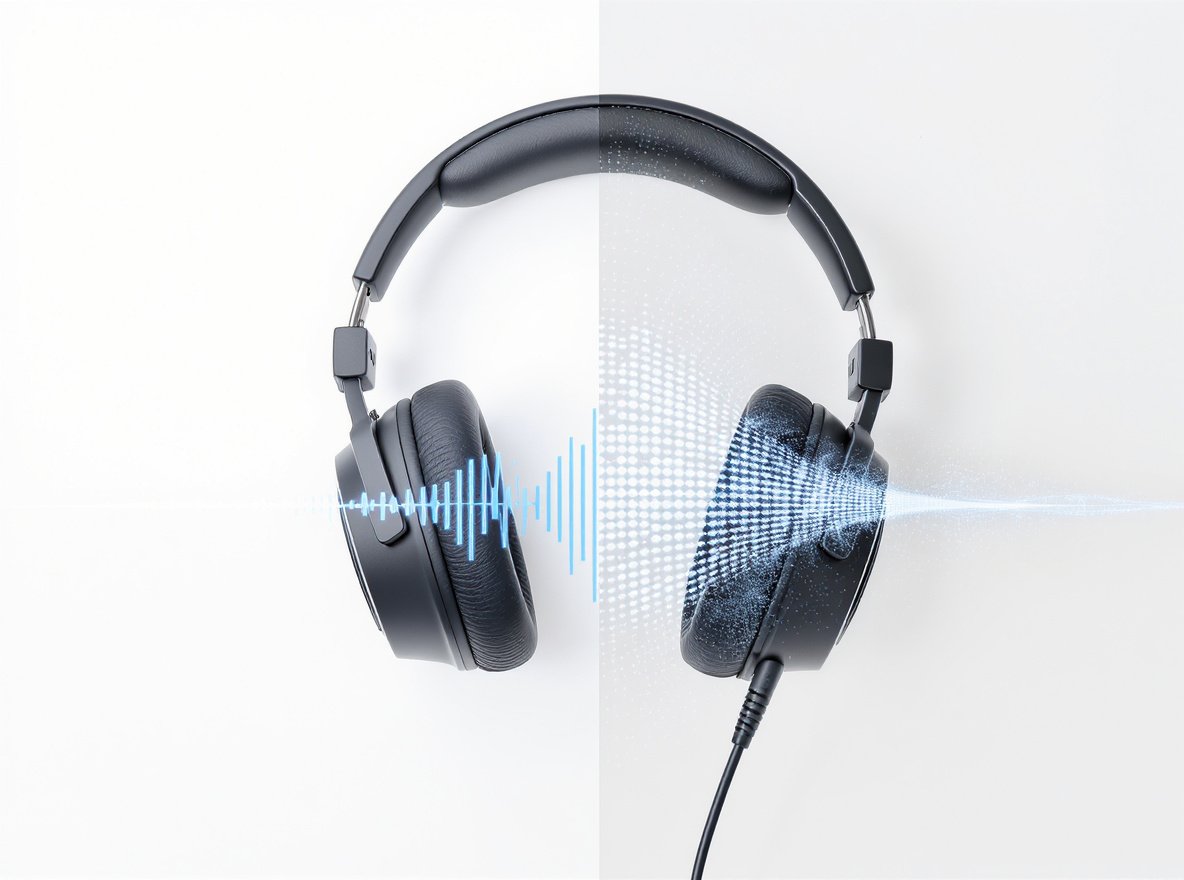
Nothing kills the music experience quite like headphones that sound muffled, crackling, or filled with annoying static noise. Whether you’re trying to enjoy your favorite playlist or conduct important business calls, poor audio quality can be incredibly frustrating and disruptive to your daily routine.
Headphones sound muffled or static due to several common causes: physical debris buildup like earwax or dust, loose connections, electromagnetic interference, damaged drivers, incorrect audio settings, low battery levels in wireless models, or worn-out components. Most issues can be resolved through proper cleaning, checking connections, adjusting settings, or replacing faulty parts.
The good news? You don’t have to throw away your headphones just yet. Understanding these problems helps you make informed decisions about repair versus replacement.
What Makes Headphones Sound Muffled?
For businesses in the headphone wholesale market, understanding muffled audio issues is crucial for maintaining customer satisfaction and reducing returns. Your clients need crystal-clear sound quality for their end users.
Muffled headphone sound occurs when audio lacks clarity and fullness, often characterized by reduced high frequencies and a dull, indistinct quality. This differs from hollow sound (lack of depth) or airy sound (brighter but less depth). The condition typically results from physical obstructions, connection problems, speaker damage, or audio settings issues.
Physical Obstructions Create Sound Barriers
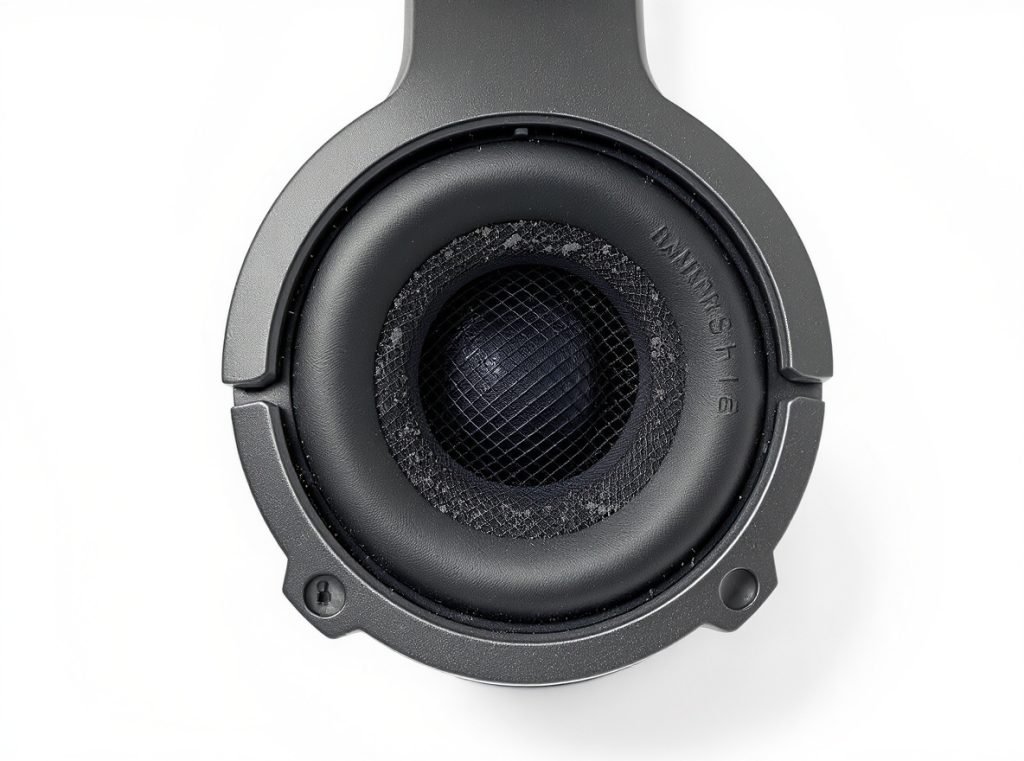
The most common culprit behind muffled sound is physical debris accumulation in your headphones. Over time, dirt, earwax, dust, and lint build up on speaker grills or in ear tips, creating a barrier that dampens sound quality.
This buildup acts like an acoustic filter, preventing sound waves from reaching your ears with their intended clarity and volume. The problem becomes more pronounced with in-ear headphones, where earwax can completely block the speaker mesh.
For wholesale businesses, educating customers about regular cleaning can significantly reduce warranty claims and improve customer satisfaction with your products.
| Obstruction Type | Severity Level | Common Location | Prevention Method |
|---|---|---|---|
| Earwax buildup | High | In-ear tips, mesh | Regular cleaning routine |
| Dust particles | Medium | Speaker grills | Proper storage |
| Lint/fabric fibers | Medium | All areas | Clean storage environment |
| Moisture residue | High | Electronic components | Dry after use |
Connection Issues Degrade Signal Quality
Loose cables, partially plugged jacks, or corroded connectors can all lead to muffled sound. For wireless headphones, weak Bluetooth connections or codec compatibility issues produce similar effects.
When connections are compromised, the audio signal becomes degraded, resulting in reduced quality that manifests as muffled or distant sound. This is particularly common with frequently used 3.5mm jacks that accumulate debris and oxidation over time.
Check these connection points regularly:
- Audio jack insertion depth
- Cable integrity along entire length
- Bluetooth pairing stability
- USB connections for powered headphones
- Wireless codec compatibility between devices
Speaker Damage Reduces Audio Clarity
Headphone drivers can suffer from various forms of damage that cause muffled sound. Excessive volume exposure, physical impacts, or age-related wear can damage the delicate components that produce sound.
When speakers are worn out or partially damaged, they struggle to reproduce the full frequency range, resulting in muffled or weakened audio. High-frequency response typically degrades first, creating that characteristic dull, underwater-like sound quality.
Why Do My Headphones Have Static Noise?
Static noise is among the most annoying audio problems that can affect both wired and wireless headphones. For wholesale buyers, understanding these issues helps ensure customer satisfaction and reduces support requests.
Static noise in headphones typically stems from electromagnetic interference, faulty wiring, poor audio source quality, dirty connectors, or low battery levels in wireless models. The static manifests as crackling, hissing, popping, or buzzing sounds that interfere with audio playback and can range from subtle to overwhelming.
Electromagnetic Interference Disrupts Wireless Signals
Interference from nearby electronic devices is a primary cause of static in wireless headphones. Smartphones, Wi-Fi routers, microwaves, and other wireless devices operating on similar frequencies can create electromagnetic interference.
This interference manifests as static noise that varies in intensity based on proximity to the interference source. Moving away from these devices often provides immediate relief from static issues.
Common interference sources include:
- Wi-Fi routers operating on 2.4GHz
- Microwave ovens during operation
- Fluorescent lighting systems
- Other Bluetooth devices in close proximity
- Cell phone towers and radio transmissions
Faulty Wiring Creates Audio Disruption
Worn-out or damaged cables are common culprits behind static noise, particularly in wired headphones. Internal wiring can fray or break over time, leading to intermittent or constant static that varies with movement.
Cable damage typically occurs at stress points where frequent bending happens, such as near the connector or where the cable enters the headphone housing. Professional inspection can identify internal wire damage that isn’t visible externally.
Audio Source Problems Introduce Artifacts
Issues with the audio source itself can introduce static that appears to come from your headphones. Poor-quality audio files, software glitches, or problems with the device’s digital-to-analog converter can all contribute to static noise.
Sometimes the problem lies in the audio processing chain within your source device, where digital artifacts get introduced during the conversion from digital files to analog audio signals your headphones can reproduce.
How Can I Fix Muffled Headphone Sound?
Fixing muffled audio requires a systematic approach to identify and resolve the root cause. Most solutions are straightforward and don’t require professional repair services or specialized tools.
To fix muffled headphone sound: start with thorough cleaning of drivers and mesh, check all connection points, adjust equalizer and audio enhancement settings, test with different audio sources, update device drivers, and replace worn components. Begin with the simplest solutions before moving to more complex repairs.
Start With Comprehensive Cleaning
Regular cleaning is the first and most effective solution for muffled headphones, addressing the majority of audio clarity issues caused by physical obstructions.
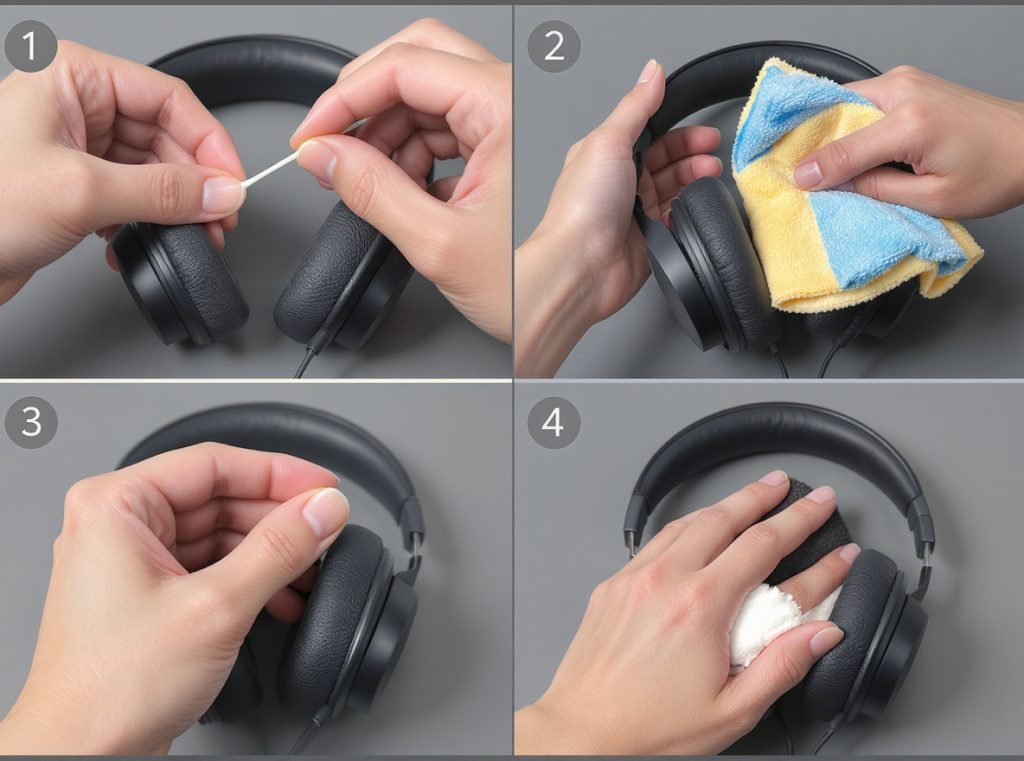
For over-ear and on-ear headphones, gently wipe down ear cups and headbands with a slightly damp, lint-free cloth after each use. Use a soft, dry brush to remove debris from speaker grills without pushing particles deeper into the mesh.
For in-ear headphones, remove and clean ear tips with mild soap and water, ensuring they’re completely dry before reattaching. Use cotton swabs lightly dampened with 70% isopropyl alcohol to clean around speaker grills and crevices.
Essential cleaning supplies for optimal results:
- Lint-free microfiber cloths
- Cotton swabs for precision cleaning
- 70% isopropyl alcohol for disinfection
- Soft-bristled brush for debris removal
- Compressed air for stubborn particles
Check and Secure All Connections
Connection troubleshooting addresses many muffled sound issues related to signal transmission problems that affect audio quality.
Inspect cables thoroughly for damage, fraying, or wear that could affect signal quality. Try plugging into different audio ports to isolate whether the problem lies with the headphones or the source device.
For wireless headphones, ensure they’re properly paired and within optimal range of the source device. Check codec compatibility between your headphones and source device, as mismatched codecs can significantly reduce audio quality.
Adjust Audio Settings and Software
Audio settings adjustment often resolves muffled sound caused by software configuration issues rather than hardware problems.
Review and adjust your equalizer settings, disabling audio enhancements, spatial sound effects, and aggressive EQ settings that might cause muffled sound. Reset equalizer settings to flat or manufacturer presets for optimal performance.
Update audio drivers on your computer, as outdated drivers can cause various audio issues including muffled sound. Check for recently installed software that might interfere with audio processing.
What Causes Static in Wireless Headphones?
Wireless headphones face unique challenges that can result in static noise, often related to their Bluetooth connectivity, digital processing, and power management systems.
Wireless headphone static typically results from Bluetooth codec issues, electromagnetic interference, low battery levels, distance from source device, or competing wireless signals. These factors can disrupt wireless audio transmission and introduce unwanted noise that varies from subtle crackling to overwhelming static.
Bluetooth Codec Compatibility Issues
Poor Bluetooth codec compatibility between your headphones and source device can cause static and reduced audio quality throughout your listening experience.
When your headphones and source device don’t support the same high-quality codec, audio defaults to the basic SBC codec, which can introduce compression artifacts and static noise. Advanced codecs like aptX, AAC, or LDAC provide significantly better audio quality with reduced static.
Check codec support on both devices and ensure optimal pairing for best results. Some devices allow manual codec selection through developer settings or audio preferences.
| Codec Type | Quality Level | Static Risk | Compatibility |
|---|---|---|---|
| SBC | Basic | High | Universal |
| AAC | Good | Medium | iOS/Android |
| aptX | High | Low | Android/Windows |
| LDAC | Highest | Very Low | Sony/Android |
Range and Interference Management
Distance from the source device and electromagnetic interference significantly impact wireless audio quality, directly affecting static noise levels.
Moving too far from your phone or computer causes signal degradation that manifests as static, dropouts, and reduced audio quality. Optimal range varies by device but typically stays within 30 feet for best performance.
Nearby Wi-Fi routers, microwaves, and other wireless devices can interfere with Bluetooth signals operating in the crowded 2.4GHz frequency band, causing static noise that varies with proximity to interference sources.
Battery Performance and Power Issues
Low battery levels can cause static and audio quality degradation in wireless headphones, as insufficient power affects digital processing capabilities.
When battery power drops below optimal levels, the processor may not function effectively, leading to audio distortion, static noise, and connection instability. Some headphones automatically reduce audio quality to preserve battery life, introducing compression artifacts.
Always charge wireless headphones fully before extended use and monitor battery levels during listening sessions to maintain optimal audio quality.
How Do I Clean My Headphones Properly?
Proper cleaning technique is crucial for maintaining sound quality, preventing damage to delicate components, and extending headphone lifespan for maximum return on investment.
Clean headphones by first powering them off completely, then using appropriate cleaning materials like 70% isopropyl alcohol, cotton swabs, soft brushes, and microfiber cloths. Focus on speaker mesh, ear cushions, headband areas, and connection points while avoiding liquid contact with electronic components.
Essential Cleaning Supplies and Safety
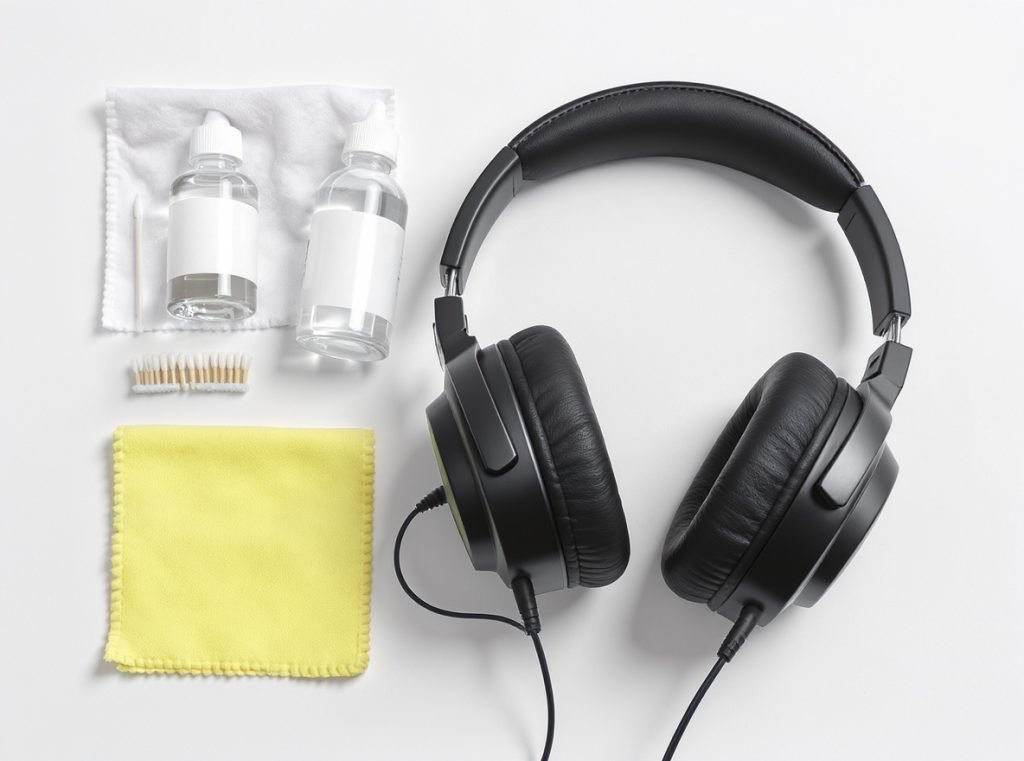
Build a comprehensive headphone cleaning kit with professional-grade supplies that clean effectively without causing damage to sensitive components.
Use lint-free microfiber cloths for general cleaning, cotton swabs for precision work in small areas, and 70% isopropyl alcohol for effective disinfection without damaging electronics. Soft-bristled brushes remove stubborn debris without scratching surfaces.
Never use sharp objects, compressed air directly on sensitive parts, products containing bleach or hydrogen peroxide, or submerge headphones in cleaning solutions.
Step-by-Step Professional Cleaning Process
For over-ear and on-ear headphones, start by powering down and unplugging before cleaning begins. Remove ear cushions if possible, typically by turning counterclockwise or following manufacturer instructions.
Clean cushions with slightly damp cloth and mild soapy solution, allowing complete drying before reattachment. Wipe down frames with alcohol wipes on plastic and metal parts while avoiding electronic components.
Use soft brushes and gentle compressed air to clean mesh areas and ventilation ports without forcing debris deeper into internal components.
For in-ear headphones:
- Remove silicone or foam tips and soak in warm soapy water
- Use soft toothbrush or cleaning putty for mesh debris removal
- Wipe stems and casings with alcohol-dampened cloth
- Clean charging cases with soft brush and alcohol wipes
- Ensure complete dryness before use to prevent moisture damage
When Should I Replace My Headphones?
Knowing when to repair versus replace headphones can save money and ensure optimal audio quality for continued enjoyment and professional use.
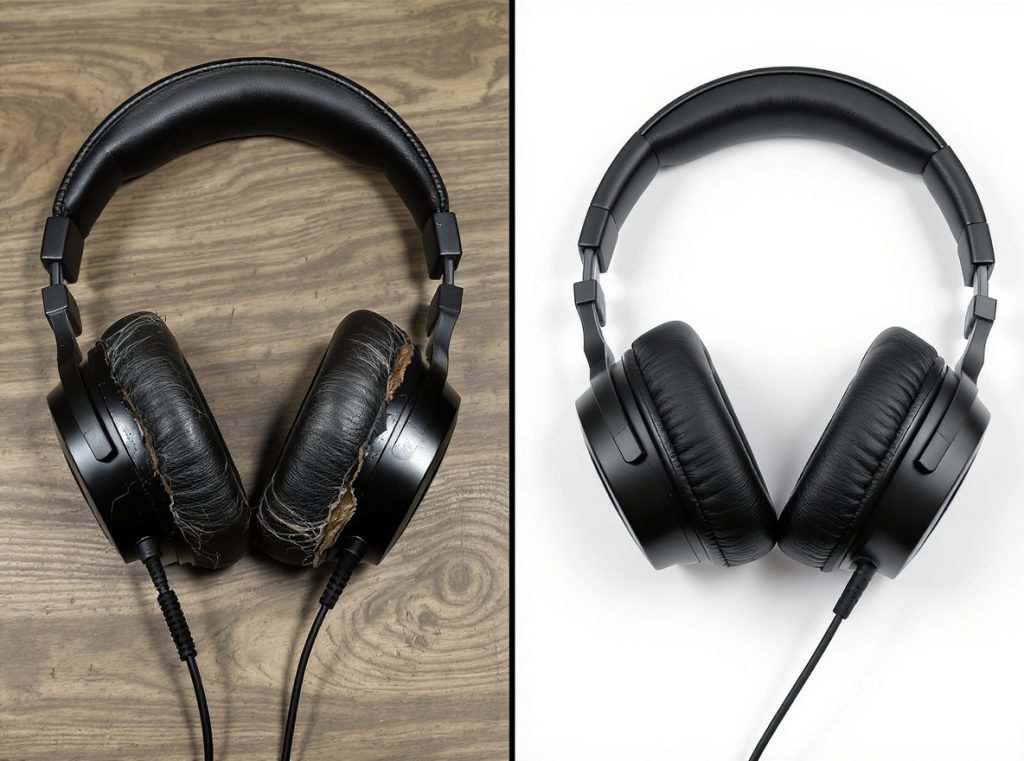
Replace headphones when audio quality degradation cannot be resolved through cleaning and troubleshooting, when multiple components fail simultaneously, if safety issues arise with damaged housings or exposed wires, or when repair costs exceed 60% of replacement value. Consider professional repair for single component failures in high-end models.
Audio Quality Degradation Signs
Progressive decline in sound quality is often the first indicator that replacement becomes necessary rather than continued repair attempts.
When you notice muffled or distorted audio that cleaning and troubleshooting cannot resolve, internal components may be permanently damaged. This gradual process accelerates with age as drivers wear out from prolonged use at high volumes.
Static noise that persists after thorough cleaning and connection checks typically indicates driver damage or internal wiring problems that require professional repair or replacement.
Physical Damage Assessment
Visible physical damage provides clear indicators for replacement decisions based on safety and functionality concerns.
Look for cracks in housing, loose components, damaged ear tips, or worn-out ear cushions that affect fit and comfort. If headband padding is compressed beyond recovery or adjustment mechanisms are broken, replacement often proves more cost-effective than repair.
For wireless headphones, battery degradation becomes a key replacement factor when battery life drops significantly below manufacturer specifications or exhibits sudden percentage drops and unexpected shutdowns.
Economic Replacement Considerations
For budget headphones under $100, repair costs often exceed replacement value, making new purchases more economical than professional repair services.
Professional repair services typically charge $50-100 plus parts, making replacement more sensible for lower-cost models. However, high-end audiophile headphones costing hundreds or thousands justify professional repair due to their superior build quality and replacement cost.
Consider these factors when making replacement decisions:
- Age of headphones and availability of replacement parts
- Warranty status and coverage for current issues
- Availability of newer models with improved features
- Cost comparison between repair and replacement options
Can Audio Settings Cause These Problems?
Audio settings play a crucial role in headphone performance and can create problems that appear to be hardware-related but are actually software configuration issues.
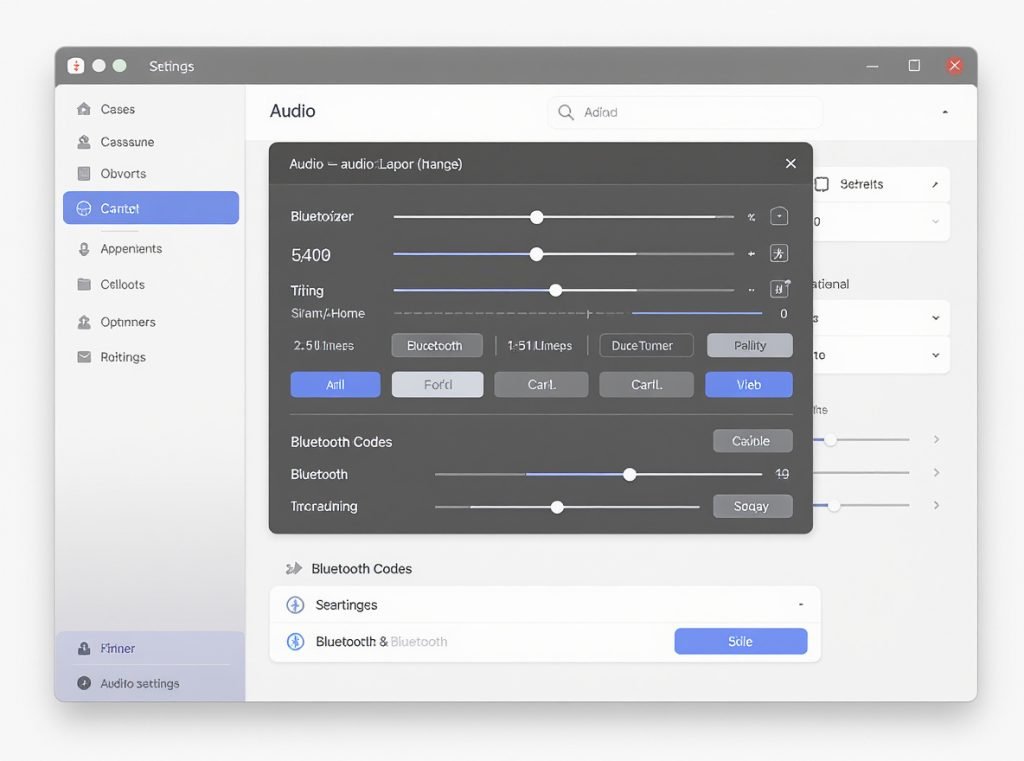
Incorrect audio settings can cause muffled or static sound through improper equalizer adjustments, incompatible audio formats, excessive digital processing, Windows Spatial Sound enhancements, or audio driver conflicts. These software-related issues often masquerade as hardware problems but are easily correctable through proper configuration.
Digital Audio Enhancement Issues
Windows Spatial Sound and similar audio enhancements can cause static and distorted audio by altering frequency response and introducing digital artifacts.
These features modify the original audio signal and can introduce processing artifacts that manifest as muffled or static-filled sound. Disabling these enhancements often resolves audio quality issues immediately.
Check your system’s audio enhancements and disable unnecessary processing that may interfere with natural headphone sound reproduction.
Equalizer Configuration Problems
Incorrect equalizer settings can dramatically impact sound quality, creating problems that seem like hardware malfunctions but are actually software-related.
Overly aggressive bass boost can cause muddiness and muffled sound, while excessive treble enhancement introduces harshness and static-like artifacts. Resetting EQ settings to flat or manufacturer presets often resolves these issues completely.
Custom EQ adjustments should be made gradually with small changes to avoid introducing distortion or frequency response problems that affect overall audio quality.
Bluetooth Profile and Codec Issues
For Bluetooth headphones, using incorrect audio profiles can severely degrade quality and introduce static noise that appears to be hardware-related.
When headphones switch to HFP (Hands-free Profile) for microphone use instead of A2DP (Advanced Audio Distribution Profile) for high-quality audio, sound quality drops significantly with increased static and compression artifacts.
Ensuring the correct Bluetooth profile is selected resolves this common issue that affects many wireless headphone users.
What Role Does Audio Source Quality Play?
The quality of your audio source significantly impacts headphone performance, regardless of how expensive or well-designed your headphones are.
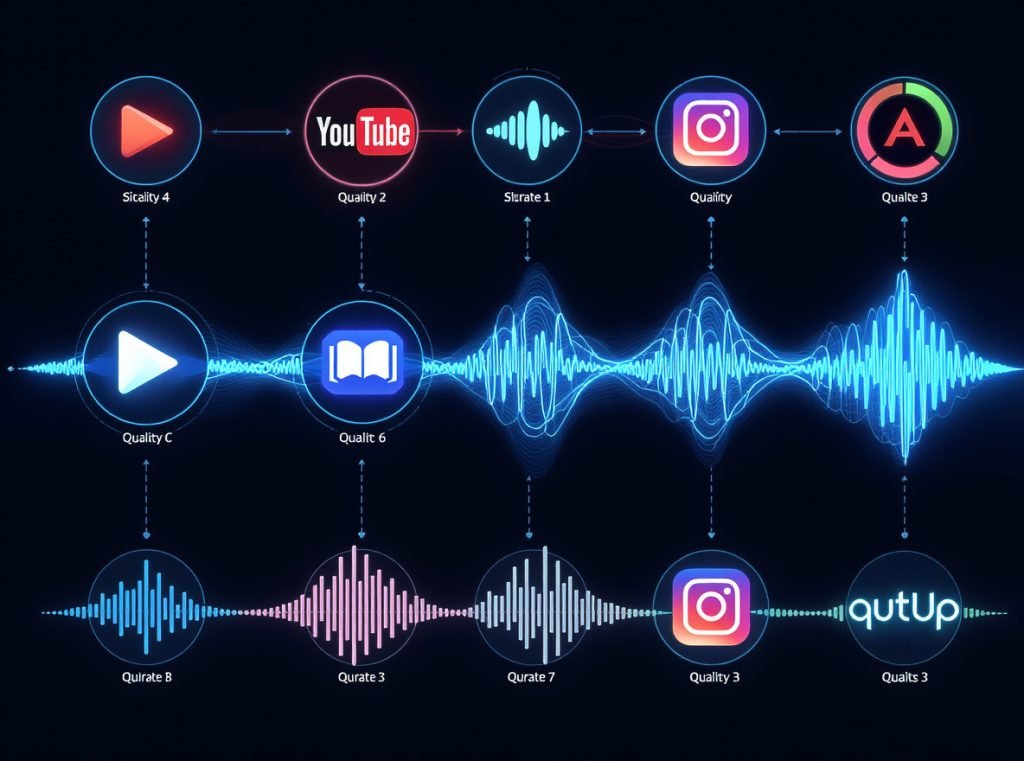
Audio source quality directly affects headphone performance through bitrate levels, compression artifacts, recording quality, digital-to-analog conversion, and streaming service limitations. Low-quality sources can cause perceived muffled sound or static that isn’t related to headphone hardware issues but rather to the source material itself.
File Quality and Compression Impact
Audio file quality provides the foundation for headphone performance, with low-quality files limiting what even expensive headphones can reproduce.
Low-bitrate MP3 files below 256kbps contain compression artifacts that become more apparent through high-quality headphones. These artifacts can sound like static, muffled audio, or distortion that users might attribute to headphone problems.
Lossless formats like FLAC or high-quality streaming services provide the foundation for optimal sound reproduction that allows headphones to perform at their full potential.
Digital-to-Analog Conversion Quality
Built-in DACs in phones and computers often limit audio quality by prioritizing size and power efficiency over audio fidelity.
These components can introduce noise, distortion, and limited dynamic range that affects headphone performance regardless of headphone quality. External DACs can significantly improve headphone sound quality by providing cleaner conversion with better specifications.
Understanding your source device’s DAC capabilities helps identify when external amplification or conversion equipment might improve your listening experience.
Streaming Service Quality Differences
Different streaming services offer varying audio quality levels that directly impact what you hear through your headphones.
Spotify Premium offers 320kbps maximum quality, while services like Tidal and Qobuz provide lossless and high-resolution audio options. The difference becomes more apparent with better headphones and in quiet listening environments where subtle details matter.
For businesses selling headphones, understanding these quality differences helps educate customers about maximizing their headphone investment through appropriate source material selection.
How Can Businesses Ensure Quality Control?
For companies in the headphone wholesale and manufacturing market, implementing comprehensive quality control measures helps prevent audio issues and maintains customer satisfaction across all product lines.
Effective headphone quality control involves systematic testing protocols, proper storage and handling procedures, regular supplier audits, comprehensive documentation systems, and clear customer communication channels. These measures help identify and prevent audio quality issues before products reach end users, reducing returns and warranty claims.
Manufacturing Quality Control Protocols
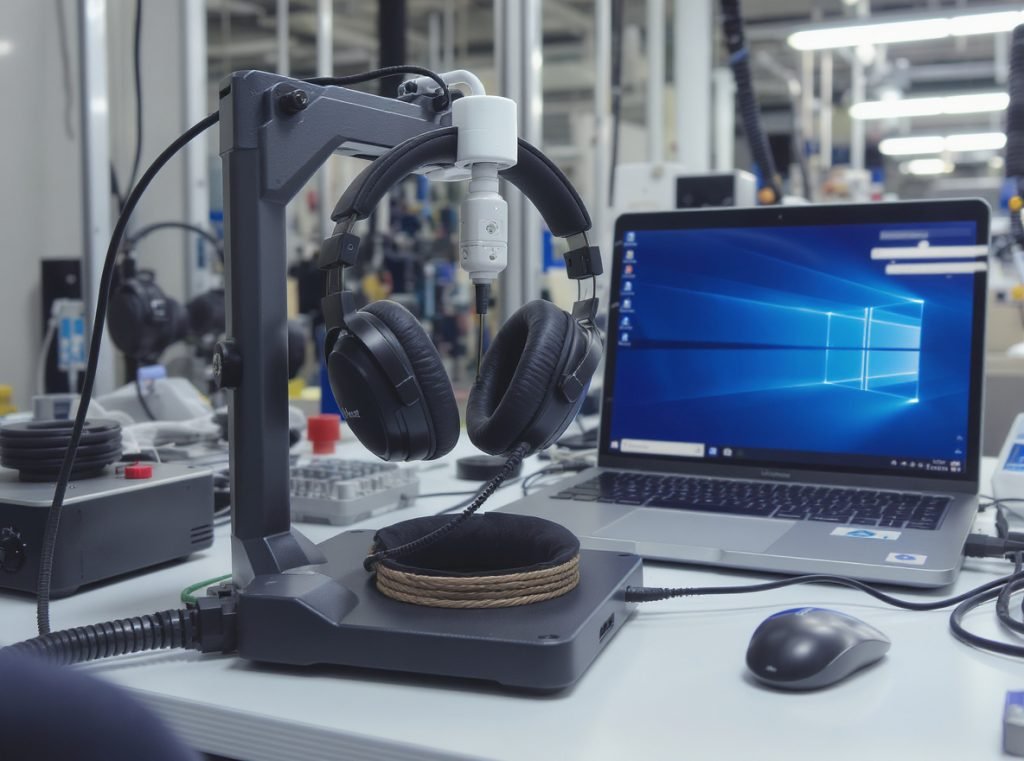
Professional headphone manufacturing requires multiple quality checkpoints throughout the production process to ensure consistent performance and reliability.
These checkpoints include incoming raw material inspection, in-process quality control during assembly, and comprehensive final product testing. Acoustic testing, electrical characteristic verification, and durability testing ensure products meet specifications before shipping.
Implementing standardized testing procedures ensures consistent quality across different production batches and helps identify potential issues early in the manufacturing process.
Key testing procedures include:
- Frequency response measurement in controlled environments
- Impedance and sensitivity verification
- Connection reliability and durability testing
- Acoustic isolation and noise cancellation validation
- Battery performance testing for wireless models
Testing Equipment and Procedures
Specialized testing equipment provides objective measurement capabilities that complement subjective listening evaluations performed by trained personnel.
Anechoic chambers provide controlled environments for acoustic testing that eliminate external interference and reflections. Automated testing procedures verify electrical characteristics while professional listening tests by trained audio engineers provide subjective validation.
This combination of objective measurement and subjective evaluation ensures comprehensive quality assessment that addresses both technical specifications and user experience factors.
Supply Chain Management Excellence
Rigorous supplier evaluation and incoming material inspection prevent quality issues from entering the production line and affecting final product quality.
This includes comprehensive testing of electronic components, acoustic drivers, and mechanical parts before assembly begins. Implementing traceability systems allows for quick identification and resolution of quality issues should they arise.
At Osmarto, we maintain strict quality standards throughout our supply chain, working closely with component suppliers to ensure consistent quality and reliability. Our comprehensive testing protocols help identify potential issues before they affect our wholesale partners and their customers.
Customer Feedback Integration
Establishing effective feedback loops with customers provides valuable insights that help identify quality issues not caught during initial testing phases.
This includes systematic warranty claim analysis, customer support data review, and periodic quality audits based on real-world usage patterns. Regular review of this data enables continuous improvement of quality control processes.
For wholesale partners, we provide comprehensive technical support and quality documentation to help you address customer concerns effectively and maintain satisfaction with your headphone offerings.
Summary
Muffled or static sound in headphones usually stems from preventable causes like debris buildup, connection issues, incorrect audio settings, or environmental interference. Regular cleaning, proper handling, and understanding your audio chain can resolve most problems effectively. For wholesale businesses, implementing comprehensive quality control measures and maintaining open communication with manufacturers ensures customer satisfaction and reduces costly returns.
Ready to source high-quality headphones that minimize these common audio issues? Contact Osmarto today for wholesale inquiries and discover our comprehensive range of headphones designed with superior quality control standards. Our experienced team provides technical support, competitive pricing, and reliable supply chain management for distributors and retailers worldwide.