Are you wondering if your customers can enjoy seamless connectivity between their smartwatch and Bluetooth earbuds? This question affects millions of users daily, and understanding the technical reality is crucial for wholesale success.
Yes, you can use a smartwatch and Bluetooth earbuds simultaneously through Bluetooth multipoint technology. Modern Bluetooth 5.0+ devices can maintain active connections to up to seven devices at once, though only one device can actively play audio at any given time. Switching between devices typically takes 3-8 seconds depending on the specific models and applications involved.
Keep reading to discover the technical specifications, common limitations, and wholesale opportunities in this growing market segment.
How Does Bluetooth Multipoint Technology Handle Multiple Connections?
Understanding the technical architecture behind multipoint connections is essential for positioning products correctly to wholesale customers.
Bluetooth multipoint enables a single device to establish and maintain connections to multiple devices simultaneously through a piconet system. Your earbuds act as the primary device controlling the network, managing connections to both smartphones and smartwatches while supporting up to seven total device connections.

The technology operates through distinct connection profiles that handle different functions. Modern devices support both A2DP (audio streaming) and HFP/HSP (calling) connections simultaneously, allowing for seamless switching between audio sources.
Multipoint Connection Architecture:
The piconet system creates a master-slave relationship where earbuds control communication timing and frequency hopping. When multipoint is enabled, the system manages multiple active connections while maintaining power efficiency and connection stability.
Technical Performance Specifications:
- Connection capacity: Up to 7 simultaneous devices via Bluetooth 5.0+
- Audio switching time: 3-8 seconds between devices
- Range capability: Up to 240 meters with Bluetooth 5.0 (vs 60m with 4.0)
- Data transfer rate: 2 Mbps with modern versions
- Power efficiency: Improved battery management in newer versions
| Bluetooth Feature | Capability | Business Impact |
|---|---|---|
| Piconet Management | 7 device connections | Enables comprehensive ecosystem products |
| Profile Switching | Automatic audio/call routing | Reduces user complexity and support calls |
| Connection Memory | Remembers paired devices | Improves user experience and loyalty |
What Are the Most Common Multi-Device Connection Issues?
Real-world usage reveals specific technical challenges that affect customer satisfaction and return rates.
The most frequent issues include audio stuttering every 10-15 seconds, connection drops requiring manual reconnection, signal interference causing complete disconnections, and battery drain increasing by approximately 10% when using multipoint versus single connections.

These problems typically worsen when users are walking outdoors or carrying devices in pockets, indicating proximity and interference factors significantly impact performance.
Signal Interference and Audio Quality Problems:
Users consistently report audio cutting out intermittently, with volume decreasing for 1-2 seconds in regular intervals. This occurs most frequently when:
- Multiple 2.4GHz devices operate nearby (Wi-Fi routers, microwaves)
- Physical obstacles exist between connected devices
- Devices exceed optimal range (typically under 30 feet for reliable performance)
- Older Bluetooth versions struggle with simultaneous connections
Device Prioritization Conflicts:
Connection priority issues create frustrating user experiences where earbuds “stick” to the last connected device. Common scenarios include:
- Earbuds refusing to switch from smartphone to smartwatch
- Manual disconnection required to use alternate device
- Aggressive reconnection behavior favoring smartphones over watches
- Inconsistent call routing between devices
Battery Impact Analysis:
Multipoint connections consume approximately 10% more battery across all connected devices compared to single-device usage. This affects both earbuds and connected devices, requiring customer education about realistic battery expectations.
How Can You Optimize Multi-Device Performance for Better Customer Experience?
Proper setup and configuration dramatically improve the multipoint experience, reducing support calls and increasing customer satisfaction.
Success requires updating to Bluetooth 5.3 for enhanced interference resistance, using aptX Low Latency codec when available, following sequential pairing procedures, and implementing power management optimizations. These steps can reduce latency to 34 milliseconds compared to standard 100-300 millisecond delays.

Technical Optimization Strategies:
Bluetooth Version Prioritization:
Bluetooth 5.3 offers significant improvements including reduced latency, enhanced interference resistance, and improved power consumption control. The channel classification improvements help manage communications in crowded wireless environments.
Codec Selection for Performance:
- aptX Low Latency: Reduces delay to 34ms vs standard SBC codec delays of 100-300ms
- LC3 codec: Available in Bluetooth 5.2+ for improved audio quality
- Enhanced audio streaming: Better quality maintenance during multi-device usage
Sequential Pairing Best Practices:
- Connect earbuds to smartphone first (establishes primary connection)
- Temporarily disable smartphone Bluetooth
- Put earbuds in pairing mode and connect to smartwatch
- Re-enable smartphone Bluetooth and verify dual connection
- Test audio switching and call routing functionality
Power Management Optimization:
- Disable auto-launch audio apps on smartwatches to prevent conflicts
- Turn off Handoff features that cause connection competition
- Use power-saving modes when available to extend battery life
- Clear Bluetooth cache regularly on Android devices
Which Advanced Smartwatch Features Work Best with Earbud Integration?
Modern smartwatches offer sophisticated features that complement rather than compete with Bluetooth earbuds.
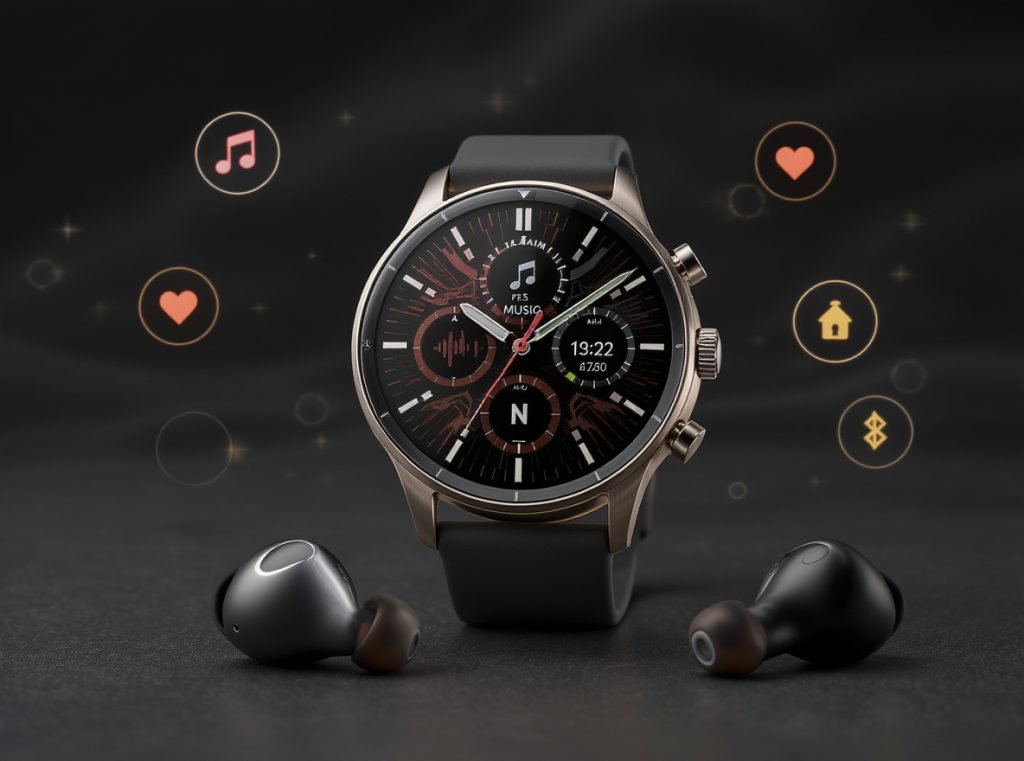
Built-in music storage (32-128GB), streaming service integration, independent GPS operation, and fitness-optimized features work seamlessly with connected earbuds. These capabilities enable phone-free workouts while maintaining full audio functionality and health monitoring.
Integrated Music and Fitness Features:
Advanced smartwatches now offer substantial local storage for offline music, eliminating phone dependency during workouts. Native apps for Spotify, Apple Music, and YouTube Music provide premium subscribers with streaming capabilities directly from the watch.
Optimal Feature Combinations:
- Heart rate monitoring with real-time audio feedback through earbuds
- Voice coaching and workout instructions delivered without phone involvement
- Call management during exercise routines without interrupting activities
- GPS navigation with turn-by-turn directions through connected earbuds
Smart Notification Management:
The best implementations allow notifications to play through earbuds while maintaining smartwatch display functionality. Voice assistant integration with wake-word activation provides hands-free control, while dual-device calling enables answering calls on either device.
Business Opportunity Insights:
These advanced integrations represent premium product positioning opportunities. Customers willing to pay for sophisticated multi-device ecosystems typically show higher lifetime value and lower price sensitivity.
What Compatibility Testing Should Wholesalers Implement?
Comprehensive testing prevents costly returns and builds customer confidence in product reliability.
Implement Bluetooth SIG certification verification, multi-brand compatibility testing, and real-world usage scenario validation. Focus on popular combinations like Apple Watch + AirPods/third-party earbuds, Samsung Galaxy Watch + Galaxy Buds, and Wear OS devices with various earbud brands.

Testing and Quality Assurance Standards:
Bluetooth SIG Certification Requirements:
All products should meet official certification standards including:
- Protocol conformance testing for proper communication protocols
- Radio frequency performance verification for range and stability
- Interoperability testing across different device manufacturers
- Security validation for data protection and privacy compliance
Multi-Brand Compatibility Verification:
Test specific combinations that customers frequently purchase:
Popular Testing Combinations:
- Apple Watch Series + AirPods Pro/third-party options
- Samsung Galaxy Watch + Galaxy Buds/competitor earbuds
- Wear OS smartwatches + various earbud brands
- Fitness-focused watches + sports earbuds
- Budget combinations for price-sensitive markets
Documentation and Support Materials:
Create comprehensive resources including:
- Step-by-step multipoint setup procedures
- Troubleshooting guides for common connection issues
- Battery optimization recommendations
- Firmware update processes and schedules
| Testing Category | Key Metrics | Pass/Fail Criteria |
|---|---|---|
| Connection Stability | Drops per hour, reconnection time | <2 drops/hour, <10s reconnect |
| Audio Quality | Latency, compression artifacts | <50ms latency, minimal artifacts |
| Battery Impact | Usage time reduction | <15% reduction vs single device |
| Range Testing | Stable connection distance | Meets manufacturer specifications |
How Do Different Bluetooth Versions Impact Real-World Performance?
Bluetooth version compatibility directly affects customer satisfaction and product positioning opportunities.
Bluetooth 5.0+ provides quadruple the range of 4.2 versions (240m vs 60m), double the data transfer speed, and significantly improved power management. However, significant version differences between devices can cause pairing issues and prevent optimal performance characteristics.

Version-Specific Performance Analysis:
Bluetooth 4.0-4.2 (Legacy Devices):
- Limited to 1 Mbps data transfer rate
- 60-meter maximum range under ideal conditions
- High power consumption affecting battery life
- Basic multipoint support with frequent connection issues
- Increased customer support requirements
Bluetooth 5.0 (Current Standard):
- 2 Mbps data transfer rate for improved audio quality
- 240-meter range enabling house-wide connectivity
- Better power management extending device battery life
- Reliable multipoint performance with fewer drops
- Improved customer satisfaction and fewer returns
Bluetooth 5.2-5.3 (Advanced Features):
- Enhanced interference resistance in crowded environments
- Reduced latency for better audio synchronization
- Improved power consumption optimization
- Advanced security features for enterprise customers
- Future-proofing for emerging technologies
Version Compatibility Considerations:
While newer Bluetooth versions maintain backward compatibility, pairing Bluetooth 5.3 devices with 4.0 devices limits performance to the older standard’s capabilities. This affects audio quality, connection stability, and battery efficiency.
Wholesale Strategy Implications:
Prioritizing Bluetooth 5.0+ inventory reduces return rates, increases customer satisfaction, and enables premium pricing for advanced features.
What Retail Best Practices Maximize Multi-Device Sales Success?
Strategic product positioning and customer education drive higher sales while reducing support costs.
Focus on compatibility-tested product bundles, comprehensive staff training on multipoint technology, and clear customer education about realistic performance expectations. Implement compatibility guarantee periods and provide accessible troubleshooting resources to build customer confidence.

Product Selection and Inventory Strategy:
Curated Compatible Bundles:
Create tested combinations that eliminate guesswork for customers:
- “Fitness Pro Pack” – GPS smartwatch + sweat-resistant earbuds with verified compatibility
- “Business Executive” – notification-focused watch + call-optimized earbuds with noise cancellation
- “Tech Enthusiast” – latest Bluetooth 5.3 devices with advanced multipoint features
- “Budget Starter” – reliable basic connectivity with proven performance
Staff Training Requirements:
- Multipoint technology fundamentals and common troubleshooting steps
- Specific pairing procedures for popular device combinations
- Battery life expectations and optimization recommendations
- When to escalate complex technical issues to manufacturer support
Customer Education Infrastructure:
Setup and Support Resources:
- QR codes linking to step-by-step setup videos included with products
- In-store demonstration stations for hands-on multipoint testing
- Digital setup guides accessible via smartphone apps
- 24/7 chat support for technical issues with trained representatives
Marketing and Communication Strategy:
- Emphasize multipoint capabilities prominently in product descriptions
- Specify supported Bluetooth versions and codec compatibility clearly
- Include realistic battery life estimates for multi-device usage scenarios
- Highlight tested compatibility combinations in marketing materials
Return and Exchange Policy Optimization:
- Implement 30-day compatibility guarantee periods for multipoint functionality
- Offer exchange programs for customers experiencing persistent connectivity issues
- Provide clear escalation paths to manufacturer technical support
- Track return reasons to identify product combinations requiring additional testing
Ready to capitalize on the growing multi-device connectivity market? Contact Osmarto today to discuss our advanced smartwatch solutions featuring the latest Bluetooth 5.0+ technology and proven multipoint compatibility. Our wholesale team can provide detailed technical specifications, compatibility matrices, and comprehensive support materials to help you succeed in this expanding market segment.